Creating and maintaining Work Breakdown Structure (WBS) diagrams using text-based script tools like PlantUML offers speed and flexibility, but it often leads to formatting inconsistencies and incomplete task hierarchies. Manually auditing complex project plans to ensure all phases and work items are accounted for can be tedious and prone to error.
The AI Chatbot Tool in Visual Paradigm streamlines this process through an AI-assisted workflow. By combining automated script analysis with interactive refinement prompts, project managers and system architects can turn raw PlantUML code into comprehensive, fully editable WBS models and seamlessly integrate them into team documentation pipelines.
Key Benefits of AI-Assisted WBS Refinement
- Automated Script Auditing: Instantly detect and correct structural inconsistencies in raw PlantUML code without manual debugging.
- Intelligent Task Expansion: Use natural language prompts to auto-generate missing project phases, deliverables, and granular work items.
- End-to-End Pipeline Integration: Move models seamlessly from code scripts to cloud documentation platforms and desktop modeling environments.
- Dual-Workflow Flexibility: Work visually inside standard modeling applications or edit programmatically using code-first environments.
Core Features of Visual Paradigm Chatbot V2 for WBS
- Direct PlantUML Analysis: Ingests PlantUML WBS scripts directly within the chat interface for instant analysis and correction.
- AI Recommendation Engine: Suggests structural improvements, missing deliverables, and phase-specific work items on demand.
- Unified Pipeline Dispatch: Sends refined diagrams straight to documentation bases like OpenDocs or editable workspace projects.
- Native Model Conversion: Converts raw script diagrams into fully editable, native visual modeling assets inside desktop software.
Practical Use Cases
- Agile Project Planning: Rapidly flesh out project initiation phases, requirement gathering stages, and “as-is” process mappings during sprint planning.
- Technical Knowledge Base Alignment: Embed live, structured project breakdown diagrams directly into team knowledge repositories using the OpenDocs Editor.
- Code-First Architecture Management: Refine text-based diagrams in code using VPasCode and the VPasCode Editor while maintaining full synchronization with visual models.
Step-by-Step Walkthrough: Refining and Exporting a WBS Diagram
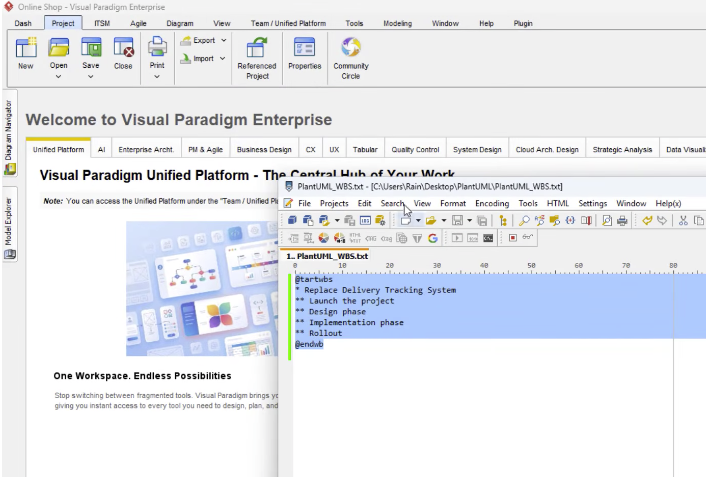
Step 1: Input PlantUML Script into Chatbot V2
Launch the Unified Platform and open the Chatbot interface. Paste your raw PlantUML Work Breakdown Structure script directly into the chat prompt. The AI engine automatically analyzes the code, flags structural errors, and returns a clean, corrected diagram in seconds.
Step 2: Request AI Work Item Suggestions and Enhancements
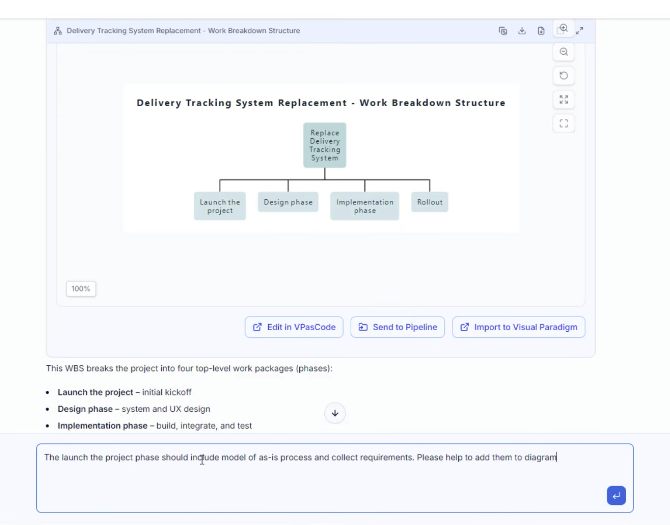
Enhance your project scope by asking the AI to add specific deliverables—such as creating “as-is” process flows or requirement-gathering tasks for project launch phases. Ask the chatbot for further structural improvement ideas and apply recommended task entries with a single click.
Step 3: Publish to OpenDocs Knowledge Base
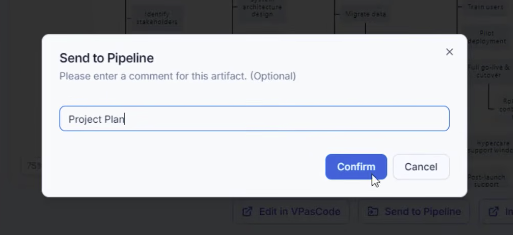
To integrate your refined diagram into team documentation, open Unified Platform, navigate to OpenDocs, and choose your target page. Click Insert, select Pipeline, and choose your updated WBS diagram to insert it directly into your documentation page.
Step 4: Convert to Editable Visual Paradigm Model or Code
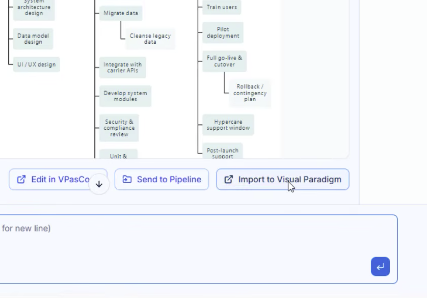
To work on the diagram visually, click Import to Visual Paradigm within the interface to convert the PlantUML script into a fully editable visual modeling asset inside desktop software. Alternatively, dispatch the asset to VPasCode for further script-based editing.
Explore Next Steps
Supercharge your project planning and diagramming workflows today with Visual Paradigm Chatbot V2. Experience the complete desktop modeling environment by visiting Visual Paradigm Download or explore cloud collaboration options with Visual Paradigm Online.