Generating system diagrams with artificial intelligence often produces generic, one-size-fits-all outputs. While broad AI models understand generic workflows, they lack the internal context of your company’s actual business rules, employee interview insights, and operating procedures—leading to diagrams that require extensive manual editing.
The integration between the Chatbot and NotesKeep in Visual Paradigm solves this issue. By grounding AI diagram generation directly in your organizational notes, project requirements, and operational context, you can automatically create highly relevant, domain-specific diagrams tailored precisely to your team’s real operations.
Key Benefits of Context-Aware AI Diagramming
- Eliminate Generic Templates: Produce diagrams that accurately reflect your company’s unique business logic rather than generic software patterns.
- Maximize Knowledge Value: Turn raw process notes, interview transcripts, and operational specs into AI-ready contextual reference material.
- Save Engineering Time: Reduce repetitive prompt engineering and manual layout adjustments by grounding requests in structured notes.
- Improve Modeling Accuracy: Ensure generated software and business diagrams strictly adhere to verified internal requirements.
Core Features of NotesKeep and Chatbot Integration
- Instant Knowledge Ingestion: Drag and drop process descriptions and employee interview notes directly into NotesKeep for immediate indexing.
- Targeted Knowledge Search: Toggle the notes search capability directly inside the chat interface to query specific project areas or notebooks.
- Unified Platform Synchronization: Access NotesKeep seamlessly from desktop applications or web interfaces to maintain central information repositories.
- Interactive Diagram Construction: Instruct the AI engine to generate use case, sequence, or activity diagrams using referenced project notes.
Practical Use Cases
- E-Commerce Process Modeling: Generate precise online store use case diagrams based on specific checkout, inventory, and payment processing rules gathered during staff interviews.
- System Architecture Specifications: Turn raw technical specifications into formal models, then document them alongside architectural frameworks using OpenDocs and the OpenDocs Editor.
- Requirements Engineering: Automatically transform stakeholder meeting notes into compliant UML diagrams to streamline software design cycles.
Step-by-Step Walkthrough: Grounding AI Diagrams in NotesKeep
Step 1: Save Business Knowledge in NotesKeep
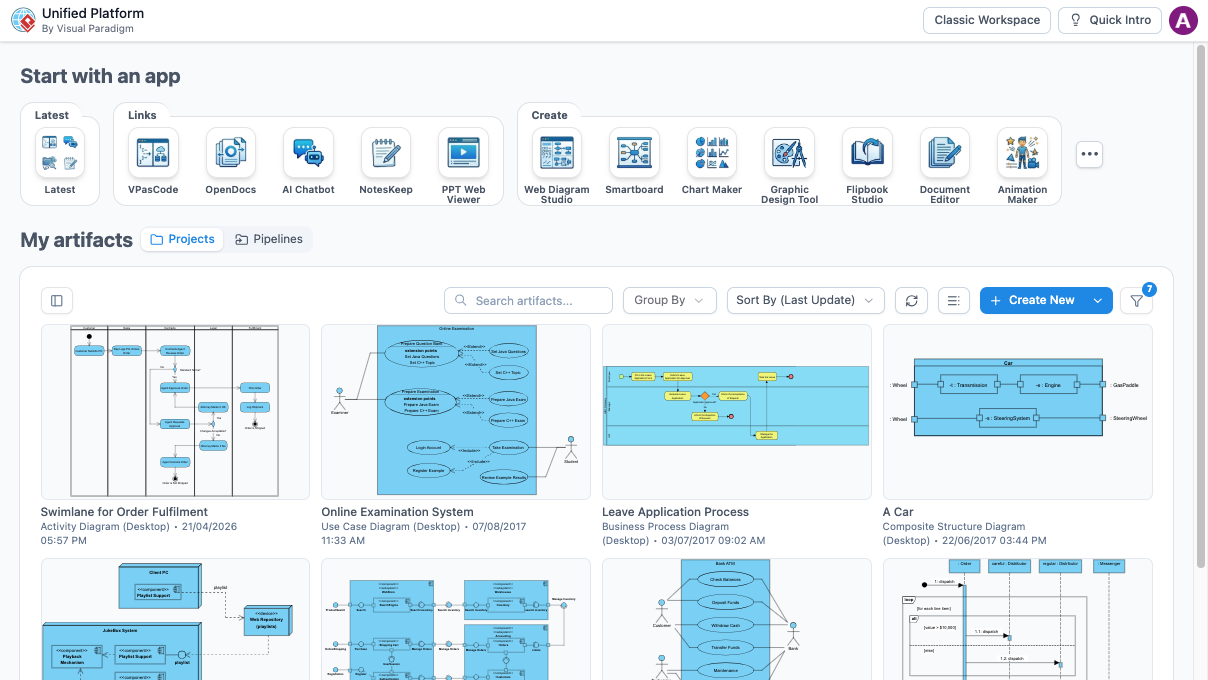
Launch the Unified Platform and select NotesKeep. Open the NotesKeep application in your browser, drag your process description file or text into the interface, and click Save Notes to confirm.
Step 2: Access the Chatbot Tool
Return to the main application interface, launch the AI Chatbot Tool, and open your active workspace thread.
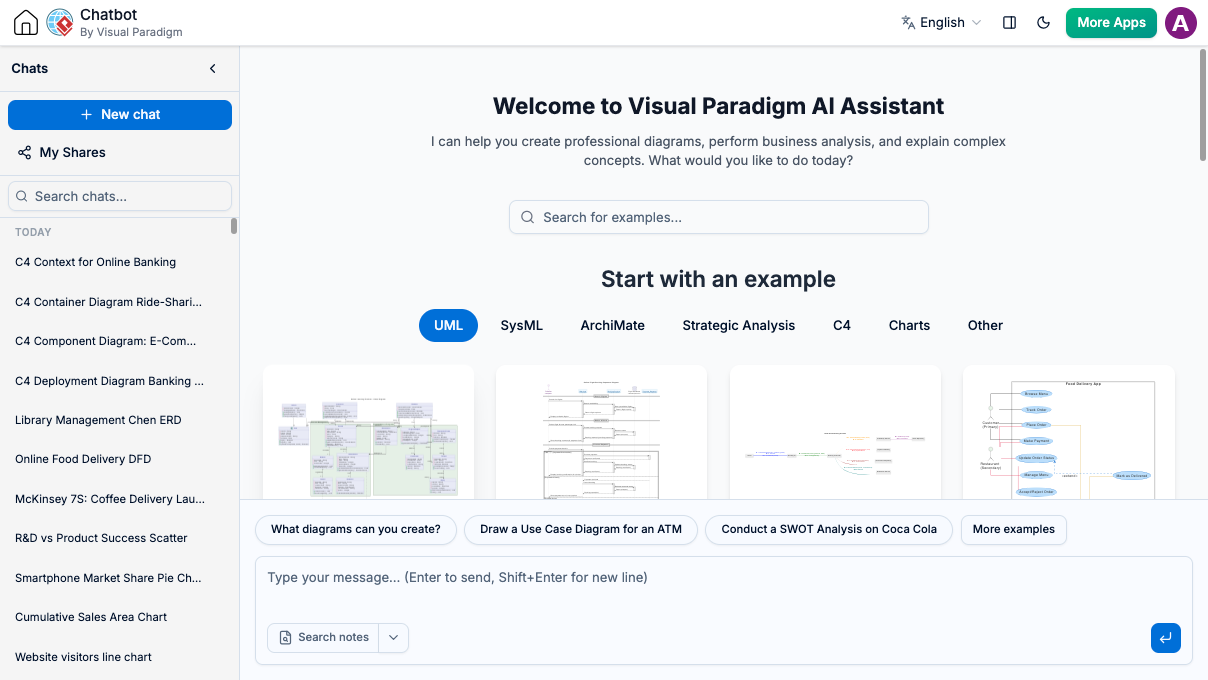
Step 3: Enable Notes Search and Specify Scope
In the input field, enter your diagram creation prompt (for example: “Create a use case diagram for an online store”). Ensure the notes search feature is enabled, and specify any targeted project area or folder scope if your notes are organized across multiple categories.
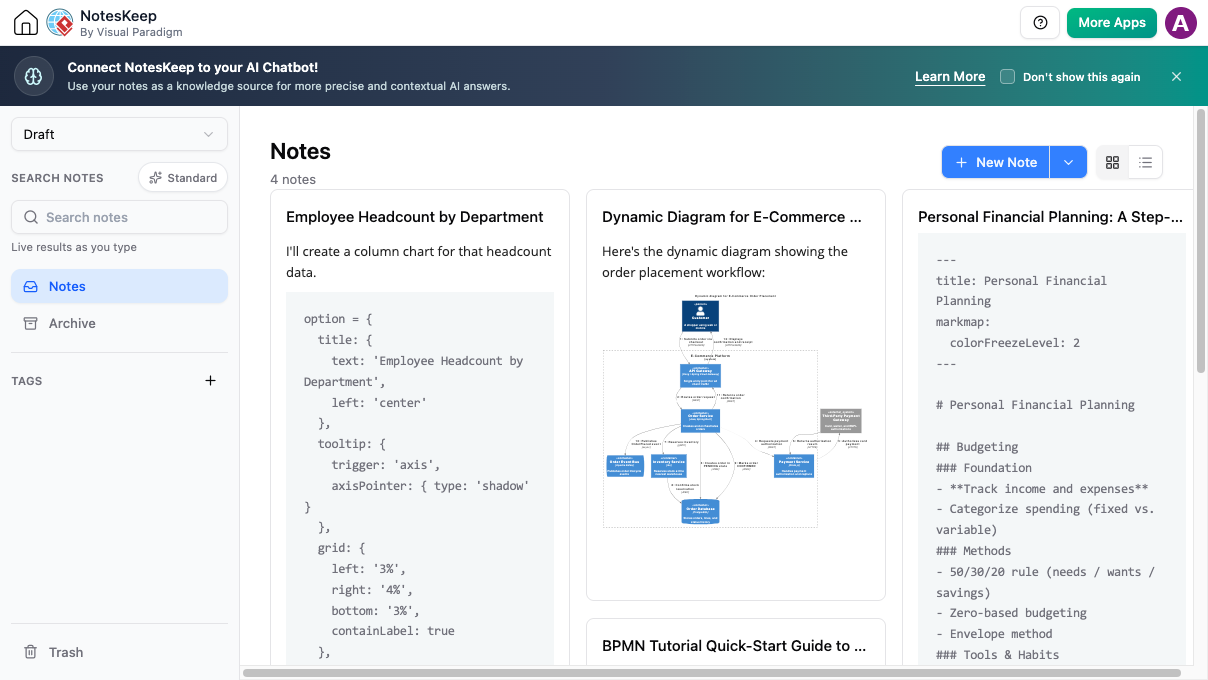
Step 4: Generate and Refine Your Custom Diagram
Submit your prompt. The AI engine cross-references your stored NotesKeep context to generate an accurate diagram reflecting your real business operations. The more detailed your saved notes, the more precise and actionable the resulting visual model will be.
Explore Next Steps
Stop relying on generic AI templates and start creating custom, knowledge-grounded diagrams today. Download Visual Paradigm Download to access desktop modeling features or collaborate online with Visual Paradigm Online.
Looking for more developer tools? Streamline your code workflows with VPasCode and the VPasCode Editor to complete your software engineering ecosystem.